Never miss anothermeeting.
Dot shows your next meeting in the menu bar. One click to join Zoom, Meet, or Teams. Reminders that actually remind you.
We'll only email you about Dot's launch. No spam, unsubscribe anytime. Privacy
Everything you need.
Nothing you don't.
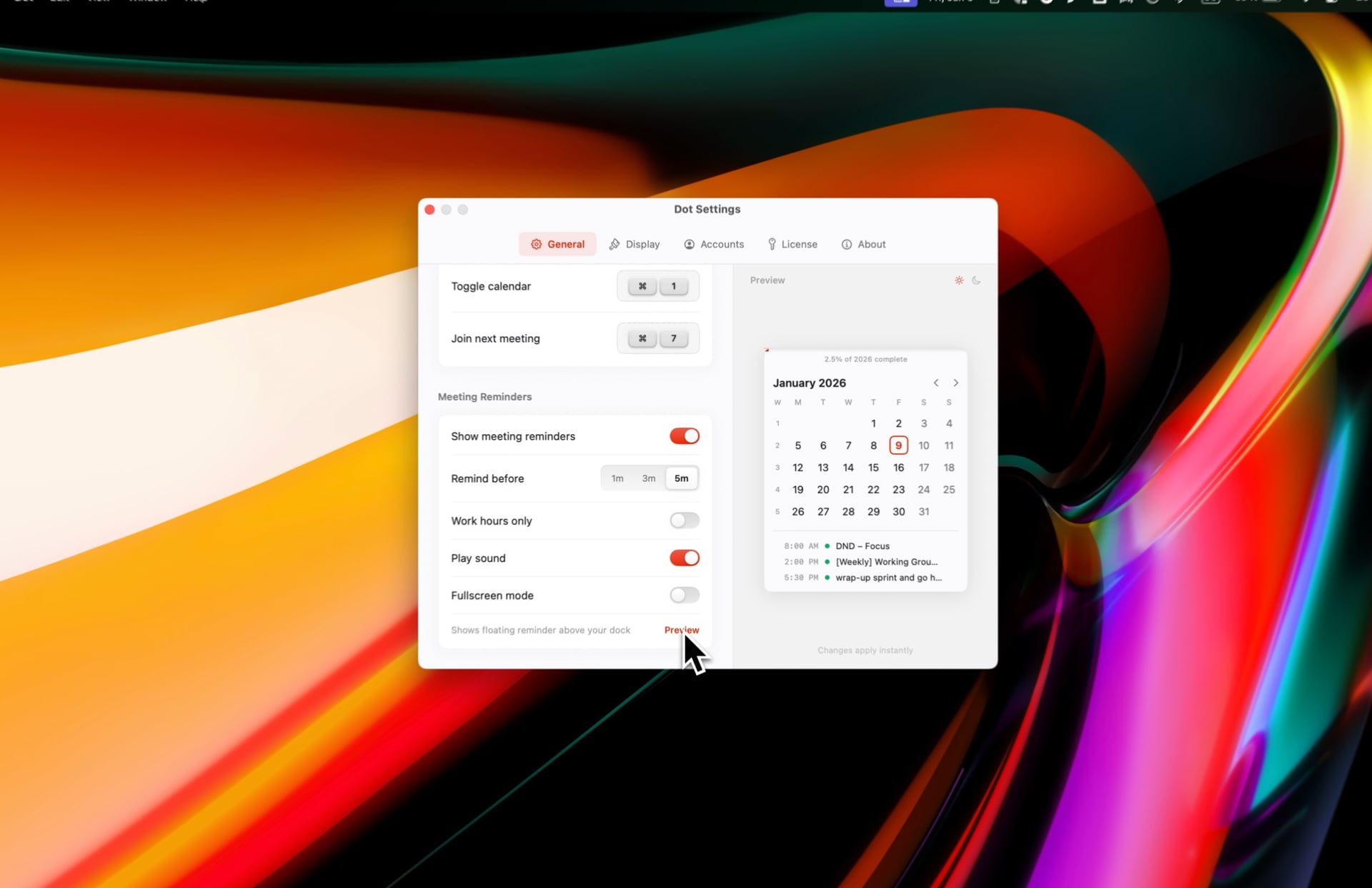
Reminders that actually remind you. One click to join.
Fullscreen alerts you can't ignore. Snooze for later or join instantly—Zoom, Meet, Teams, Webex, or add your own.
Not just meetings—a complete calendar. Create events, browse your week, jump to any date.
Docs, notes, and links from your invite—surfaced automatically.
All your calendars
iCloud, Google, Outlook, Exchange—anything in macOS Calendar
Natural language events
Type "Lunch tomorrow at noon" and it just works
Next event in menu bar
See title and countdown at a glance
World clock
Time zones with day/night indicators
Quick date jump
Press F, type date
Copy meeting ID
One-click copy
Date markers
Flag important days
Keyboard first
Full keyboard nav
Built with SwiftUI
Always on the dot.
Coming soon
Join the waitlist to be notified when Dot launches.
Join waitlistmacOS 13 Ventura or later · Apple Silicon & Intel
Questions
When will Dot be available?
We're putting the finishing touches on Dot. Join the waitlist and we'll email you as soon as it's ready to download.
Which calendars will Dot support?
Dot works with any calendar connected to macOS Calendar—iCloud, Google, Outlook, Exchange, and more.
Will Dot be a subscription?
No. Dot will be a one-time purchase. You'll own it forever, including all future updates.
Will Dot work on Apple Silicon?
Yes! Dot is a native macOS app built with SwiftUI. It runs natively on both Apple Silicon and Intel Macs.